
How to View Average Cost and Daily PnL for Spot Assets
In the Assets > Spot Account section, you can view the average cost and daily PnL for each asset to better understand your cost basis and daily performance.
1. What Is Average Cost
Average cost is the weighted average purchase price of an asset in your current holdings.
It is calculated automatically based on your transaction history and asset inflows, including:
- Spot purchases
- On-chain deposits
- Third-party deposits
2. How Is Average Cost Calculated
Average cost is calculated using a weighted method:
Average Cost = (Purchase Price × Quantity + Fees) ÷ Current Holdings
Notes:
- The average cost is recalculated each time the asset balance increases
- Trading fees are included in the cost
- Assets held before this feature was launched are calculated based on the market price at the time of launch
3. What Is Daily PnL
Daily PnL represents the profit or loss of an asset compared to its value at 00:00 of the current day.
4. How Is Daily PnL Calculated
Daily PnL = Current Asset Value − Asset Value at 00:00 − Net Inflows
Where:
- Current Asset Value is based on real-time market prices
- Net Inflows include deposits and transfers made during the day
Notes:
- Daily PnL updates in real time with changes in market prices
- Minor discrepancies may occur compared to total account PnL due to differences in calculation methods
5. How to View Average Cost and Daily PnL
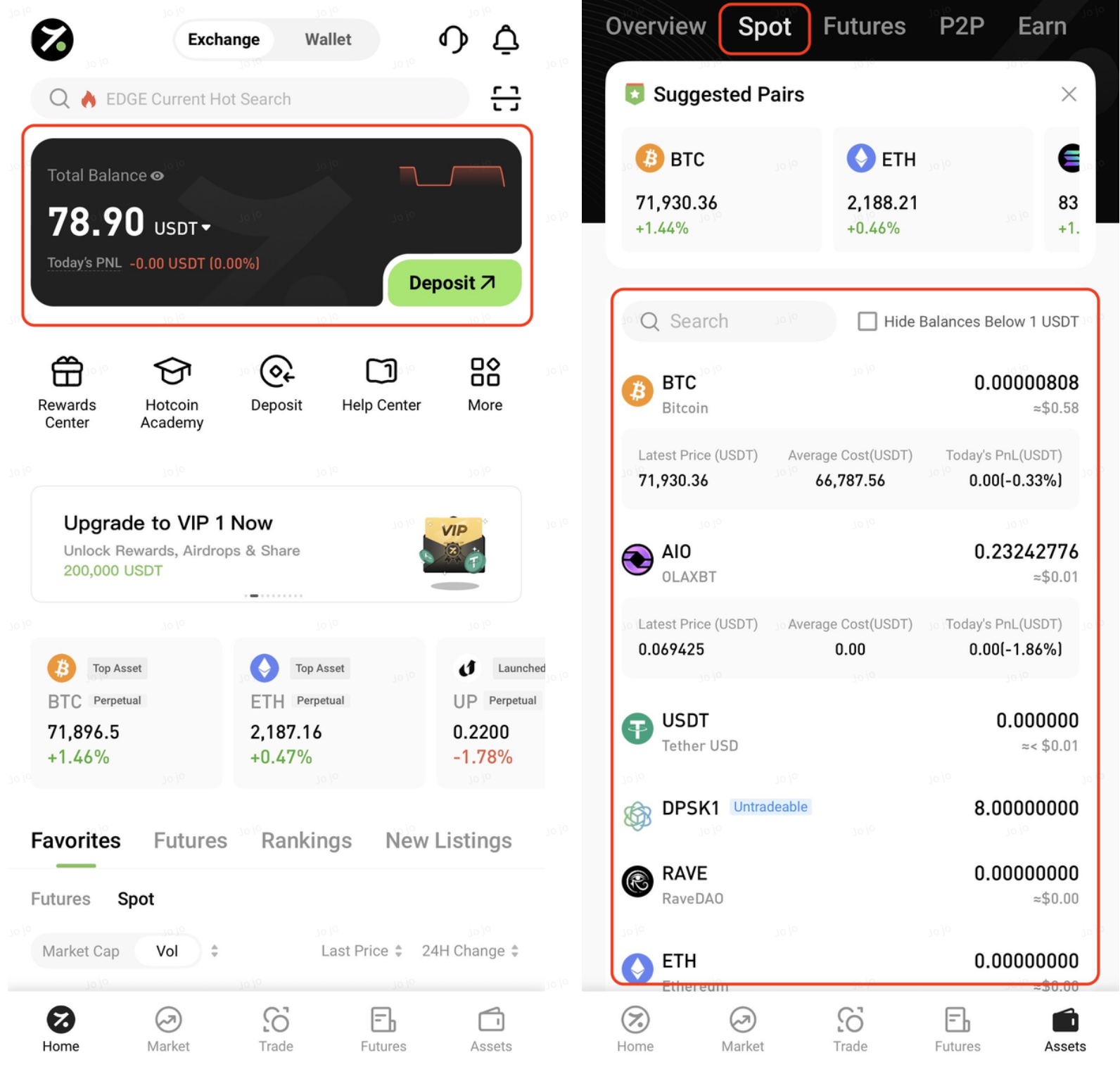
I. Access the Spot Account
App:
Log in and go to Assets > Spot Account to view average cost and daily PnL for all held assets
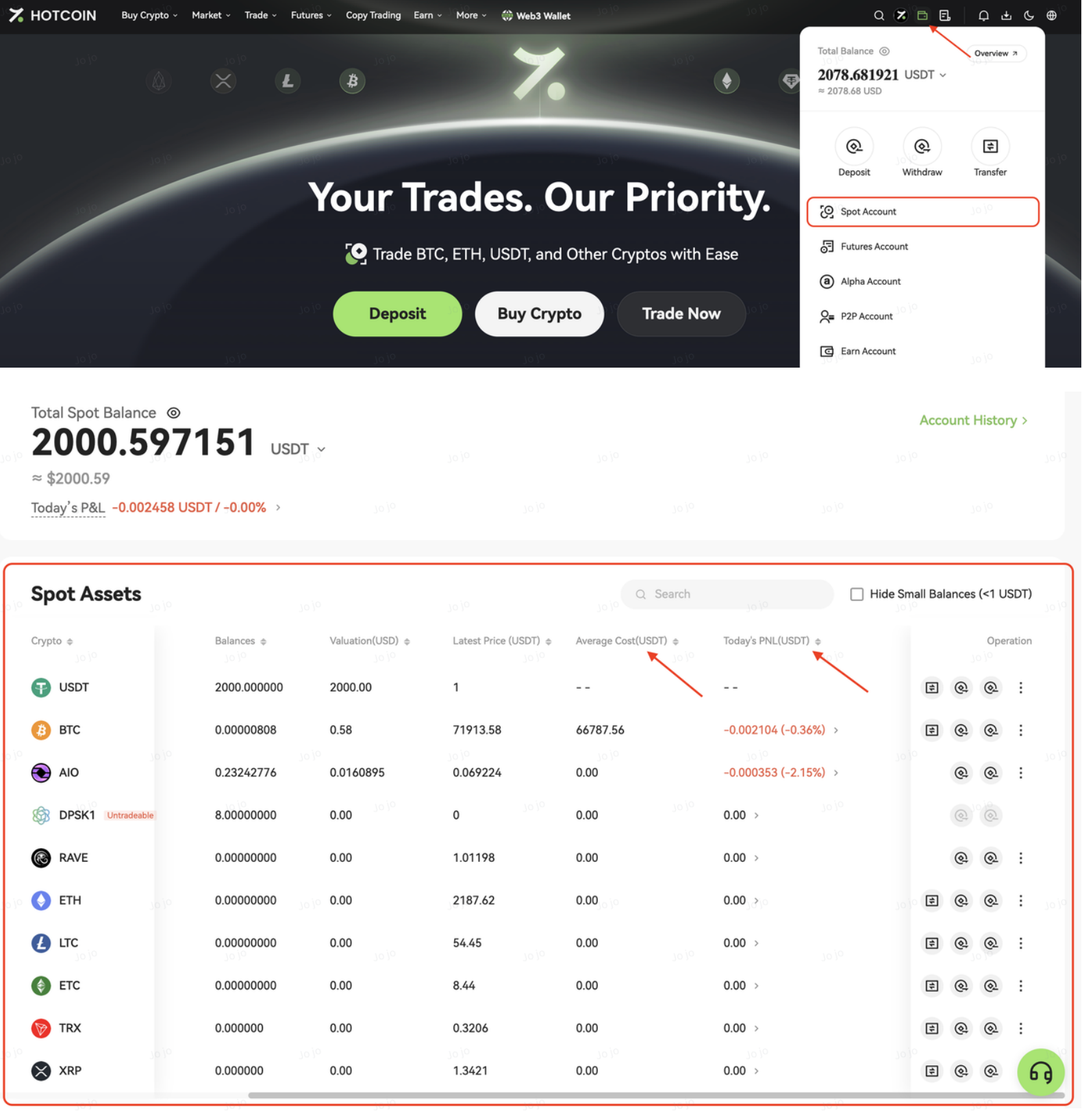
Web:
Click the Assets icon in the top right corner and select Spot Account from the dropdown menu. On the Spot Account page, view average cost and daily PnL in the asset list.
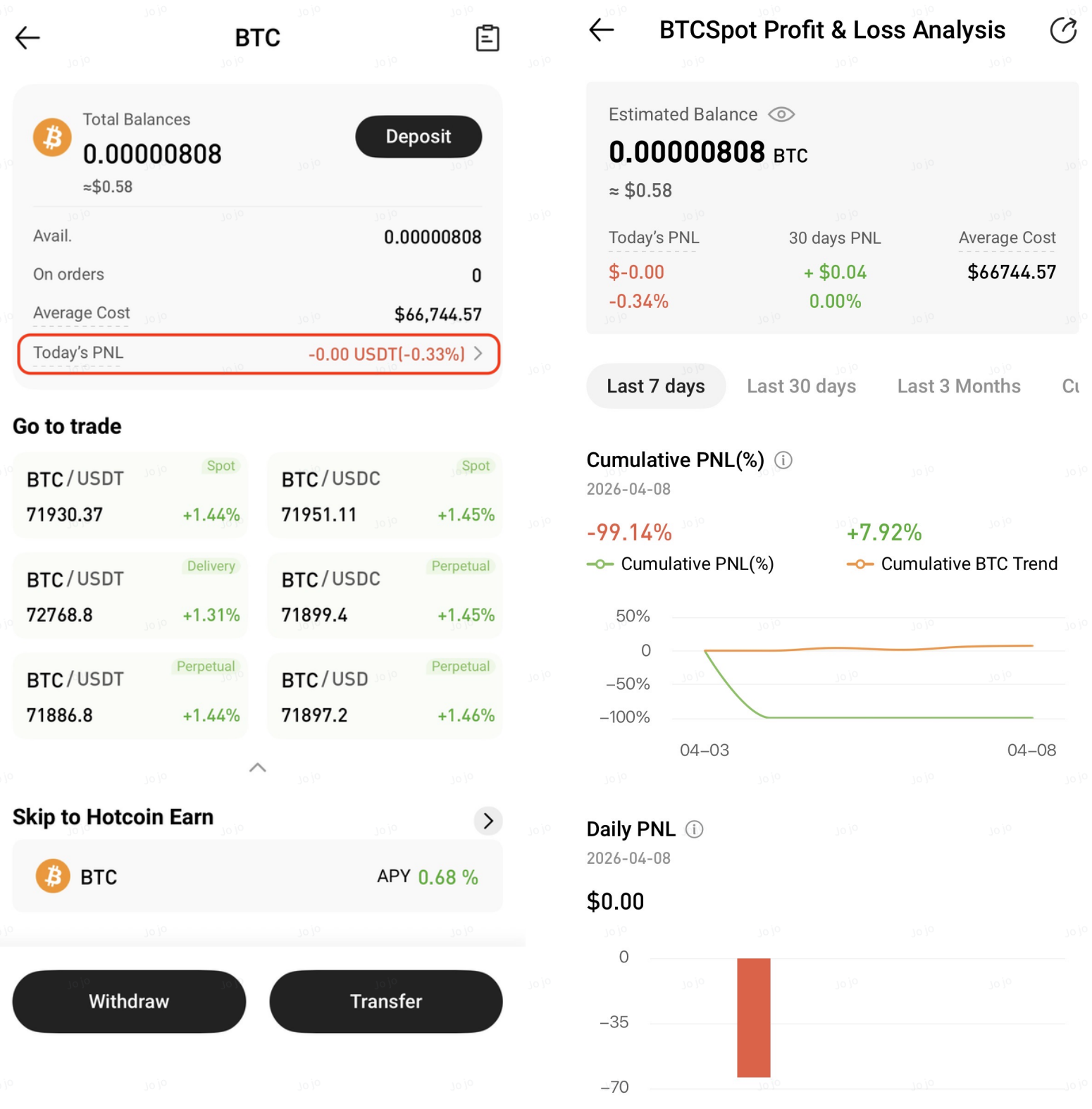
II. View Asset Details
Select any asset to open the details page, then tap Daily PnL to view detailed performance data
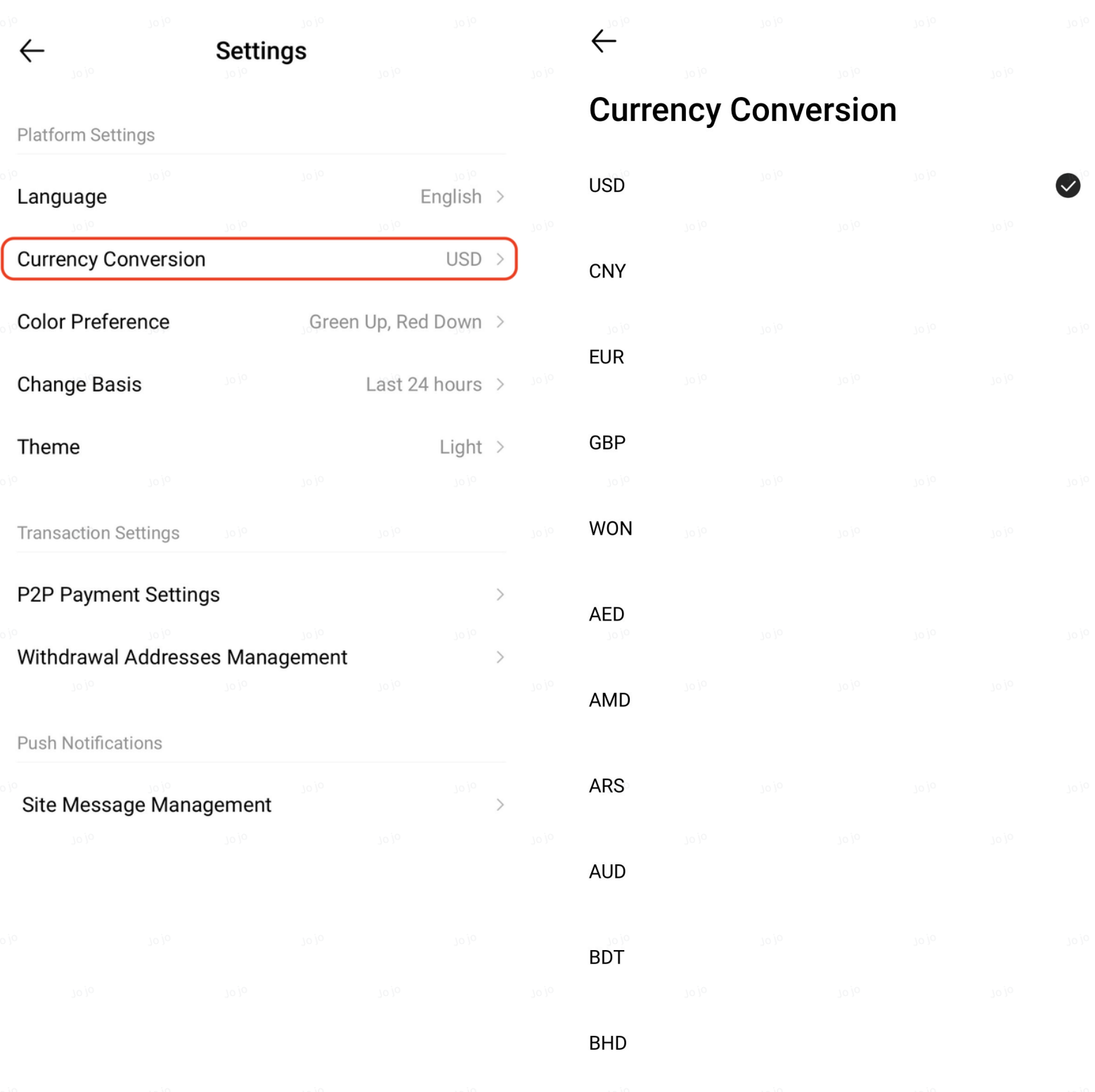
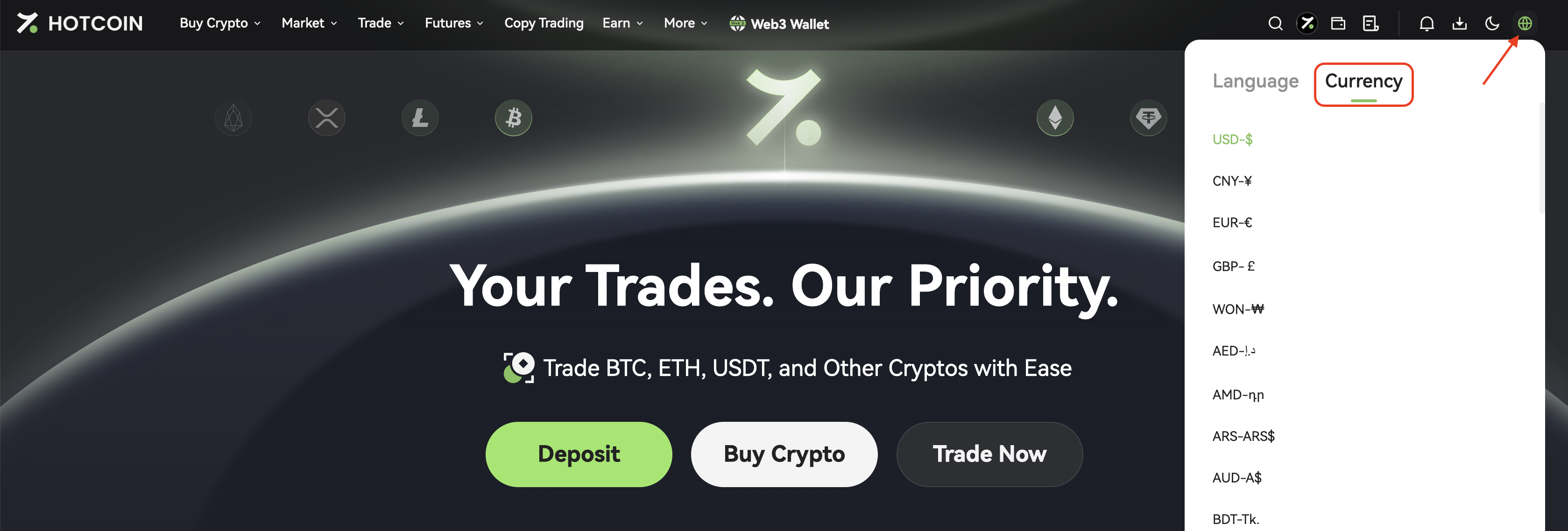
III. Change Fiat Currency (Optional)
To switch the display currency such as USD or CNY, follow these steps:
App:
Go to Settings and select Currency Conversion
Web:
Click the Language/Currency icon in the top right corner and choose your preferred fiat currency
Notes
- Average cost is an estimated value and is for reference only
- Slight discrepancies may occur due to market fluctuations and calculation methods
- For precise PnL, please refer to your historical order records