
How to Trade Spot on Hotcoin (App)
Hotcoin
Share
If you have registered a Hotcoin account, follow the steps below to start spot trading.
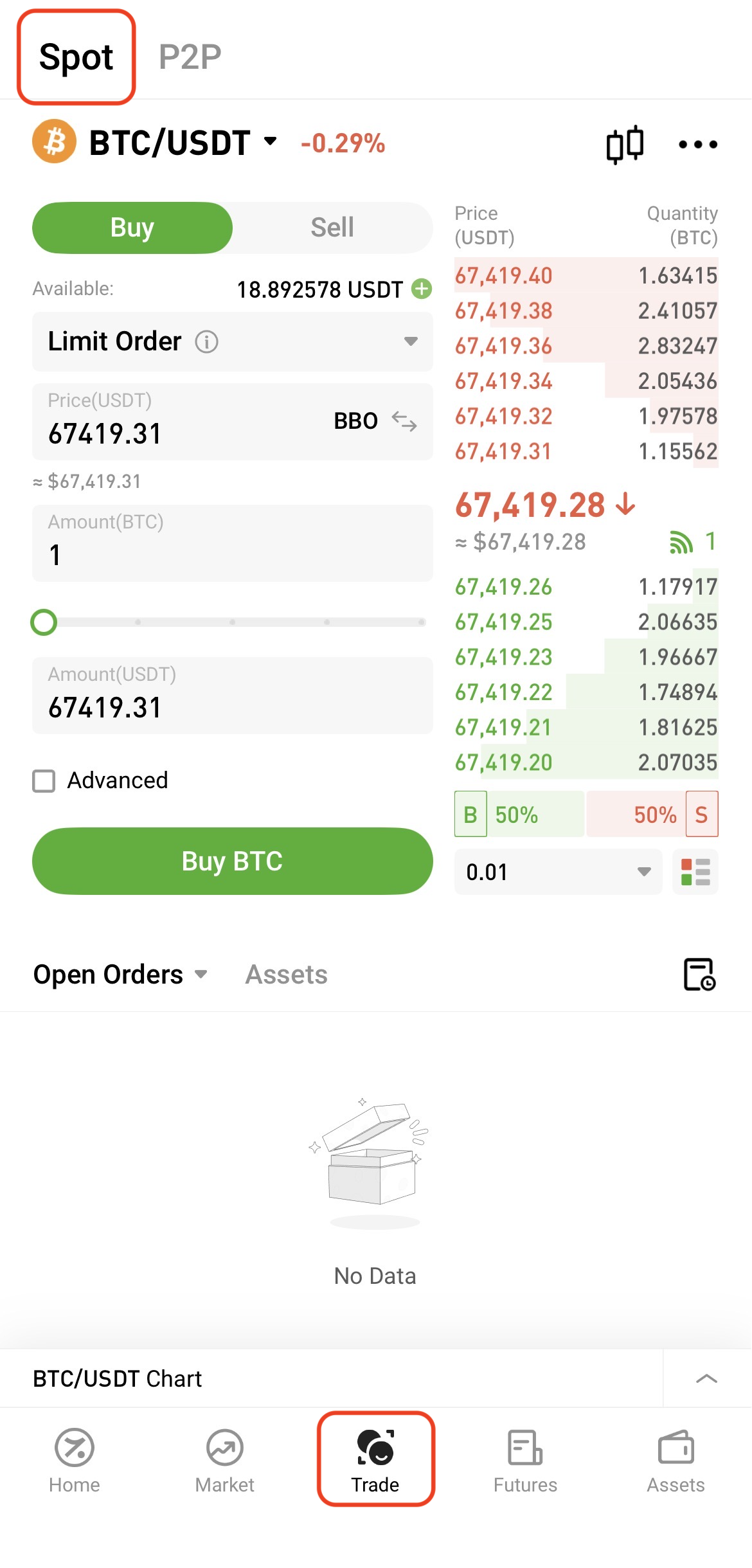
Step 1: Access Spot Trading
Open the Hotcoin App and tap Trade at the bottom to enter the Spot page.
Step 2: Select a Trading Pair
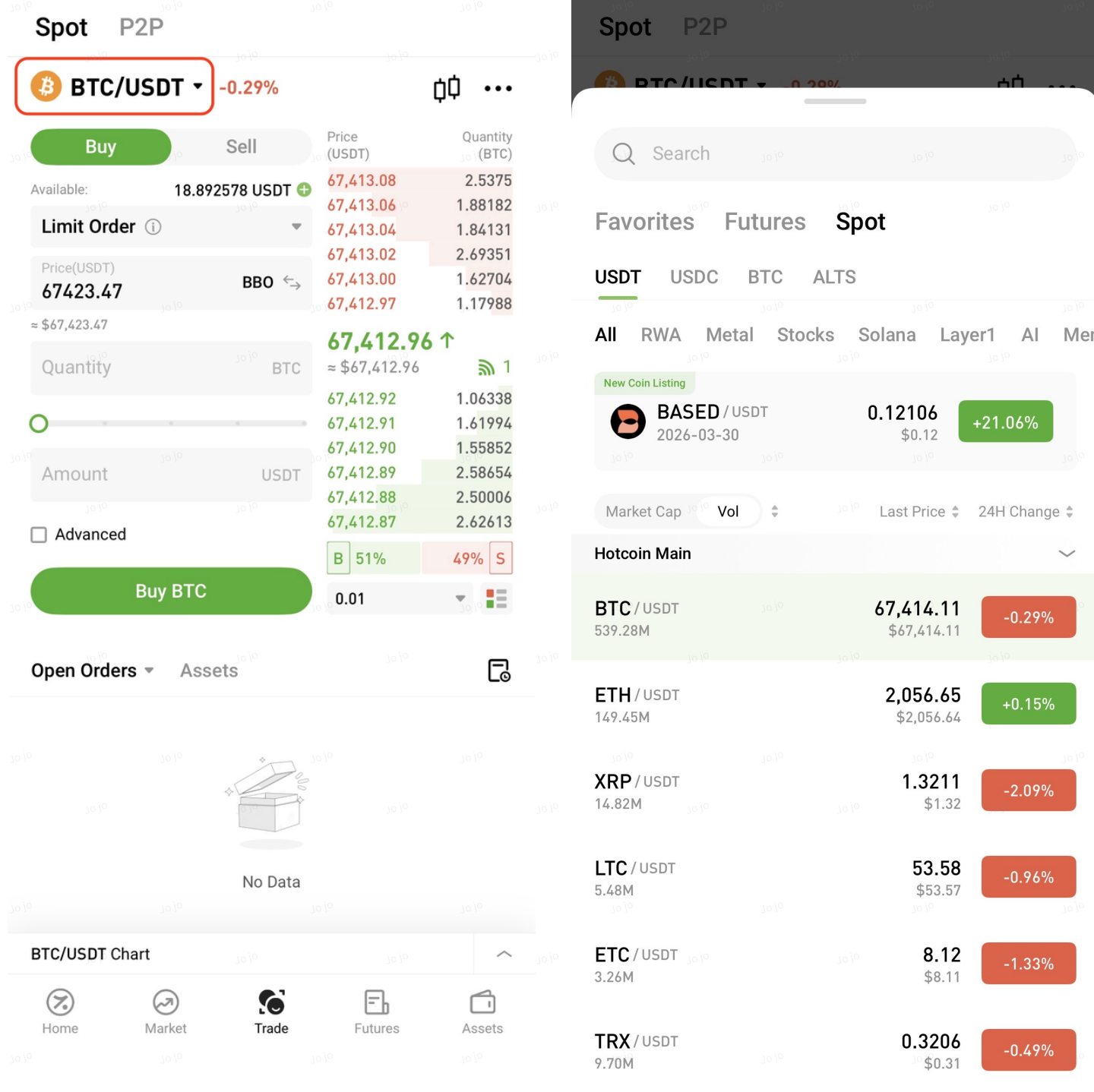
Select your desired trading pair at the top of the page (e.g., BTC/USDT), or use the search function.
Step 3: Place an Order
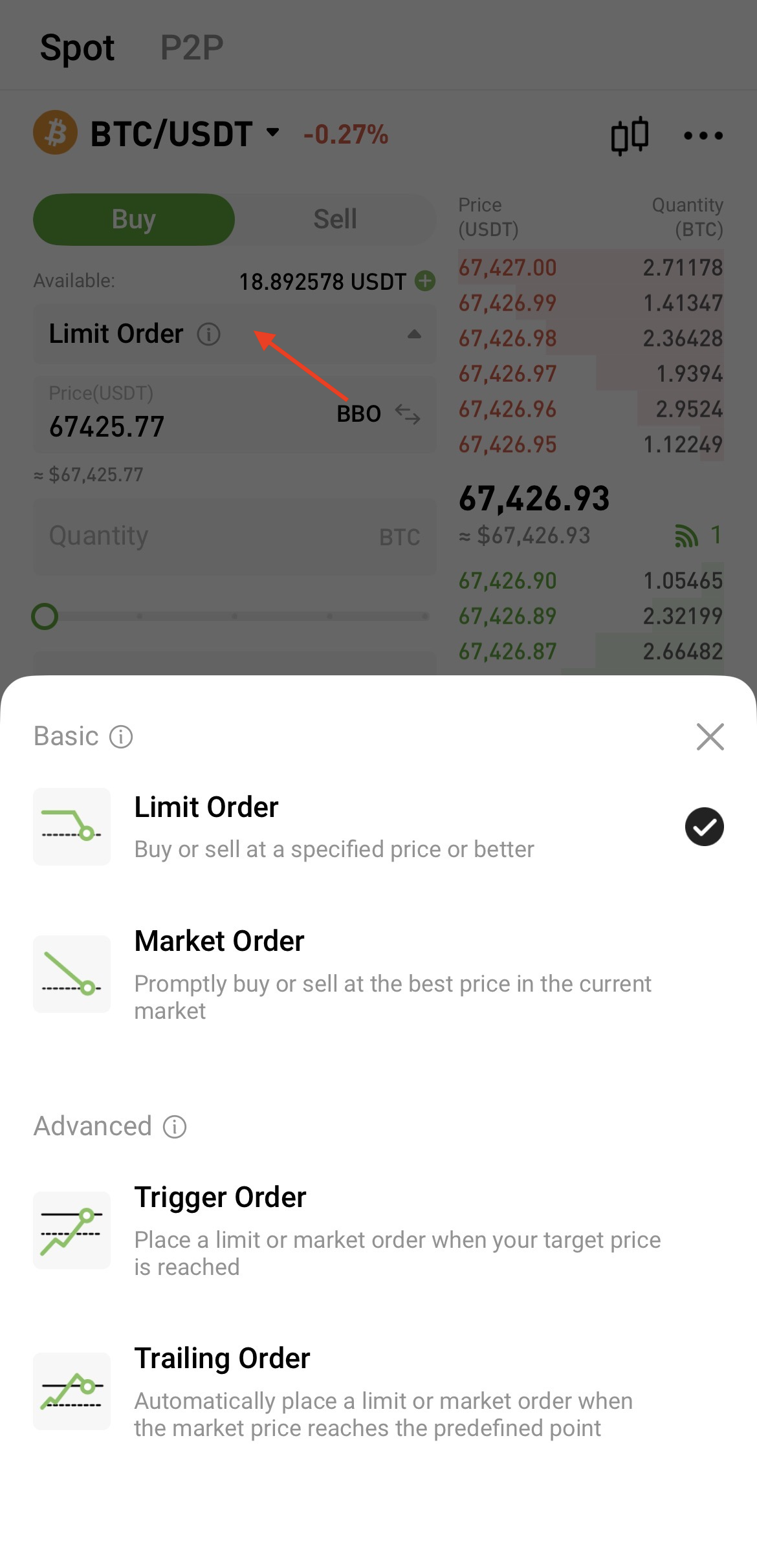
On the trading page, check the current price and choose an order type:
- Market Order: Execute immediately at the best available price
- Limit Order: Set your desired price
- Advanced Limit Order: Supports additional order options
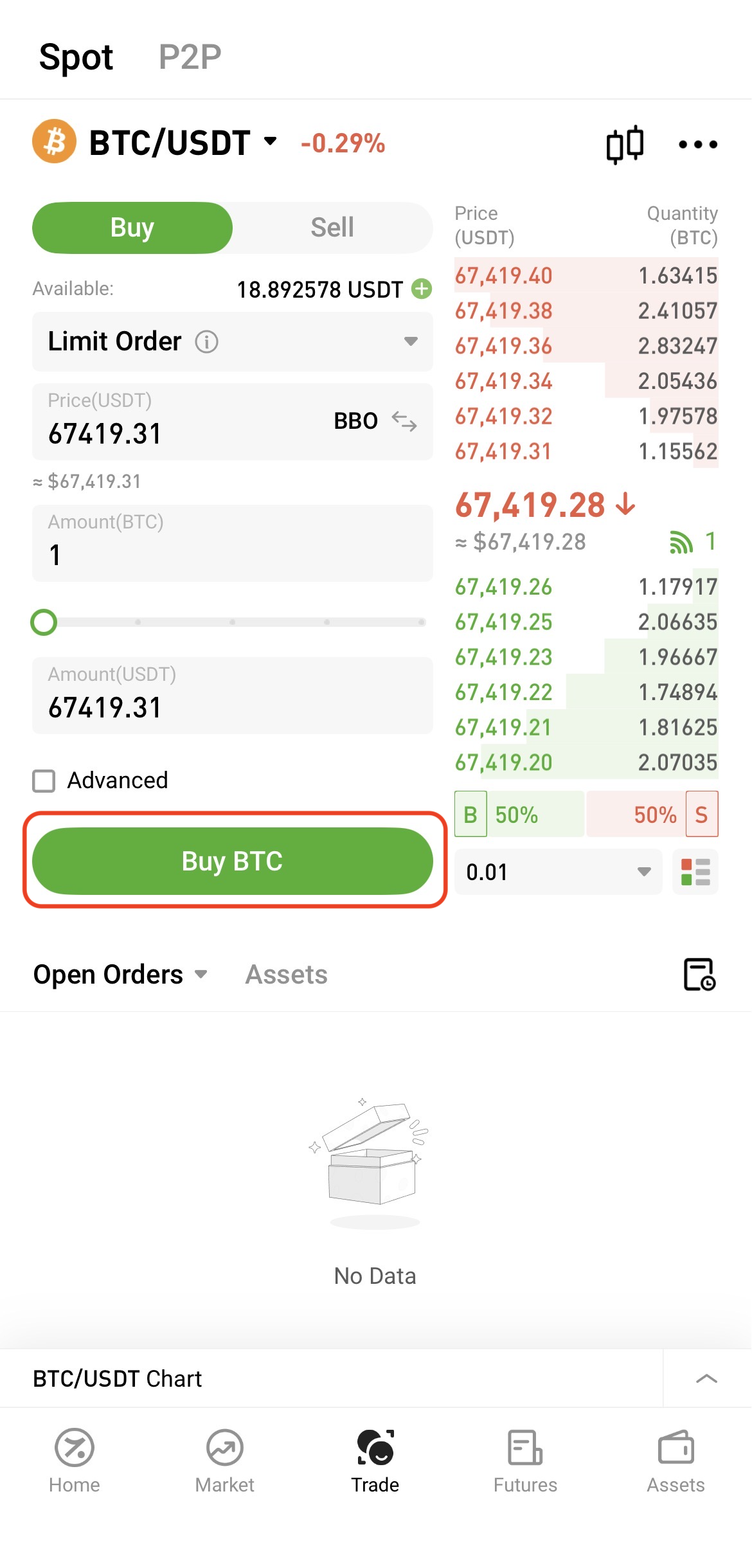
Enter the quantity, then tap Buy or Sell to complete the trade.
Note: The default order type is Limit Order. To ensure faster execution, you may choose Market Order.